Select polymer families
Polymer families can be selected as the parent filter. For all further functions and filters, these polymer families are then included in the search/selection.
Click on the corresponding button 1 to open the following selection window.
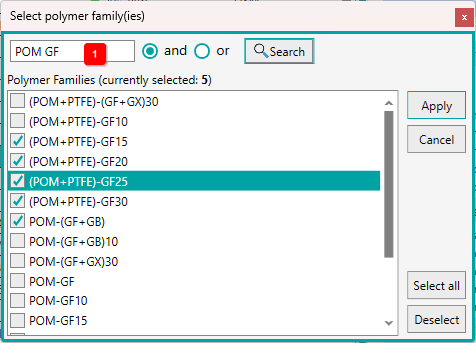
In this window you can search for polymer families and then apply them.
You can enter any text in the text box 1 . You can additionally specify whether all text parts (and) or at least one part (or) is/are included in the polymer family designation.
Then click the [Search] button to filter the list accordingly.
Select the required entries and click on [Apply] to apply the polymer families for the further functions. The window is closed.