Calculation of water saturation concentrations
In the "Extras/Additional Functions" tab, you will find another tab called "Continental and Maritime Climate Zones (Calculation of Water Saturation Concentration)".
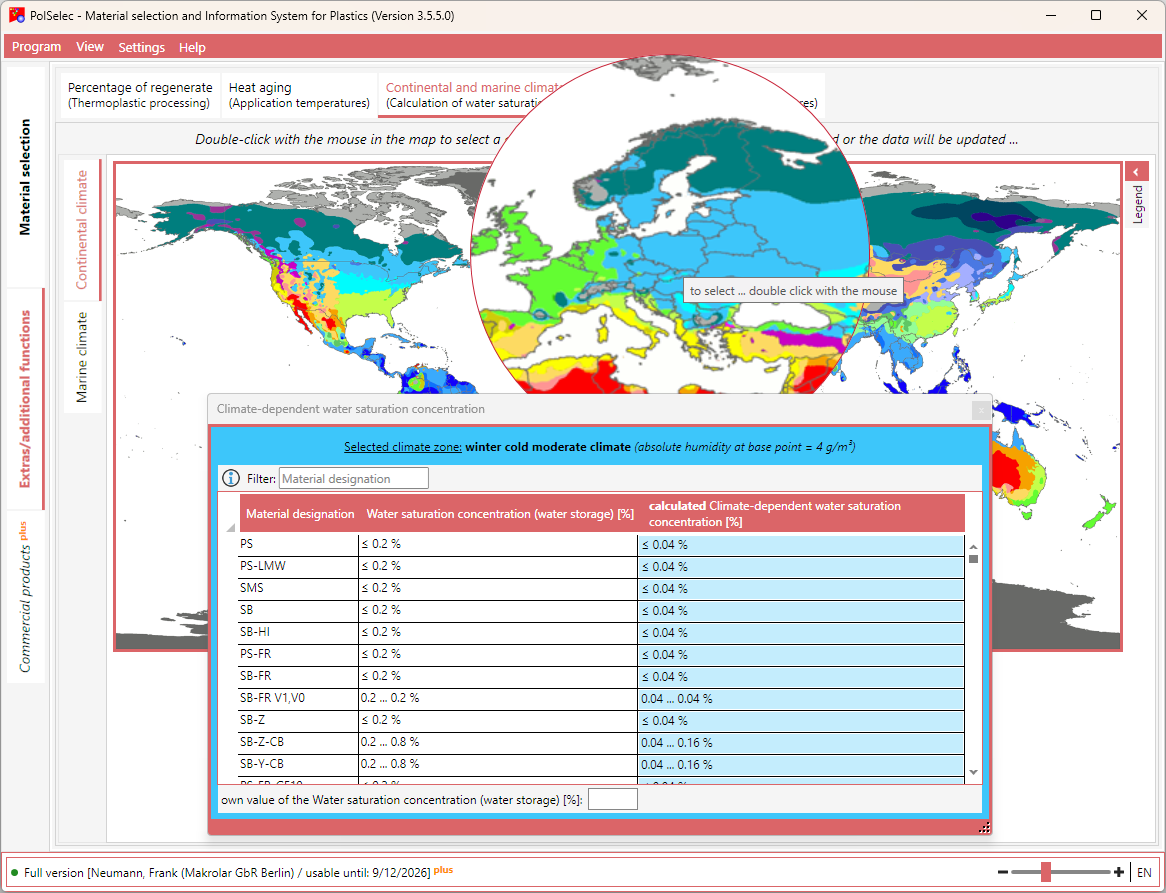
- You can choose between continental climate and maritime climate. A corresponding color legend can be displayed on the right.
- When you move the mouse over the map, a magnifying glass is displayed.
- Double-click with the mouse on the desired region. Another window opens. Leave this window open and select a different map/region if needed.
- The selected region is displayed with color, designation, and the absolute humidity at the base point. The data is immediately (re-)calculated and the values in the list are updated.
- Using the input field below the list, you can calculate your own values by specifying the water saturation concentration (water storage).
- You can filter the list by material designation.