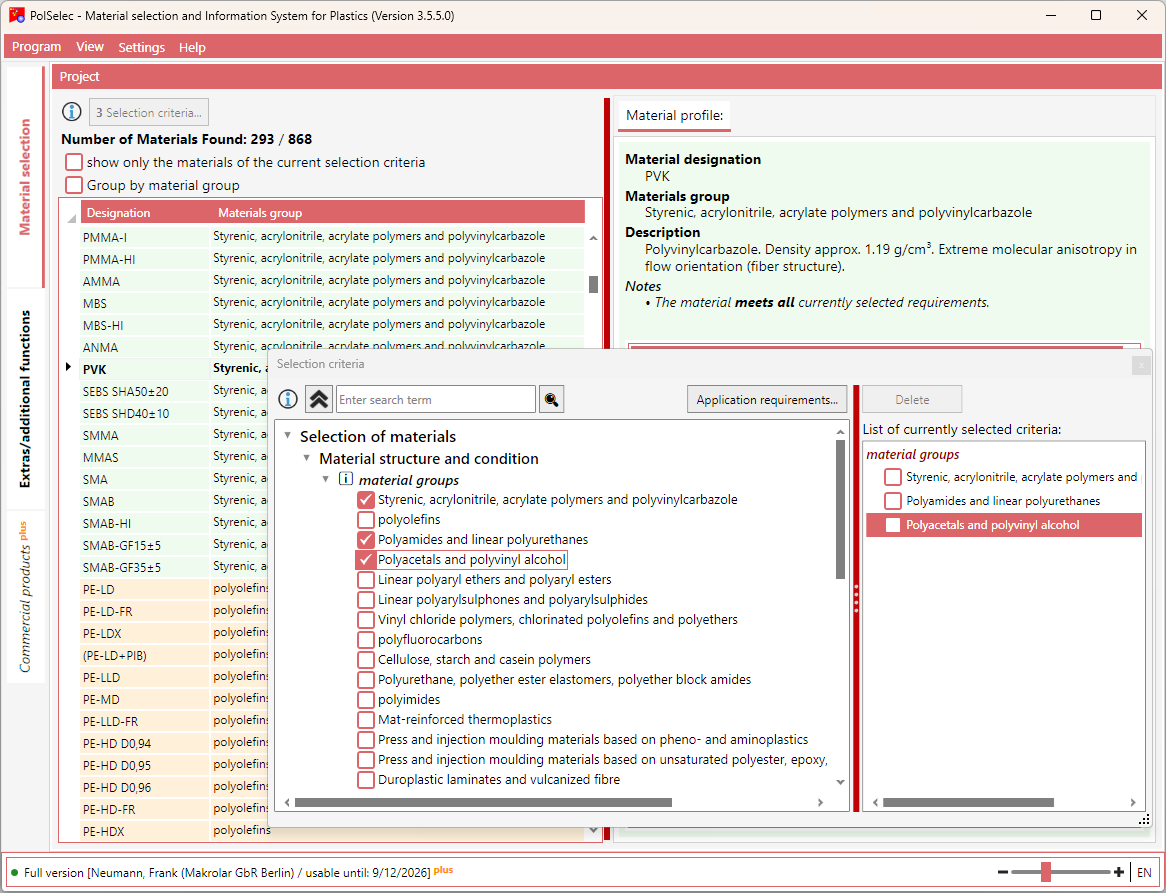
If it is not already displayed, click the “Material Selection” tab on the left. The list of all materials is displayed.
Click the [Selection Criteria...] button. A new window opens showing the hierarchy of selection criteria.
Navigate through the hierarchy to the desired selection criteria. At the lowest level, you can select the criteria. The selected criteria are also displayed in a list on the right.
As soon as you add or change a criterion, the selection is applied automatically and the list in the main view is updated immediately.
In the main view, you can group or filter the material list.
When you select an entry in the material list, the details and the material assignment profile are displayed on the right.
The information icons in the various views provide additional information and assistance.