Project management
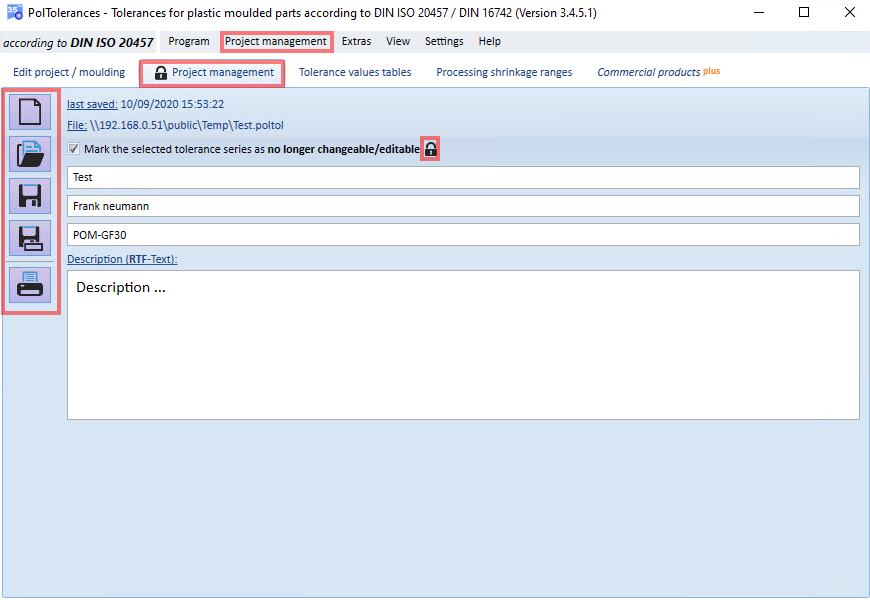
- you can manage all inputs and decisions in individual project files.
- As a rule, a project file considers a single molded part to be toleranced.
The following functions are available for selection and can be called up via the buttons shown or the corresponding menu items:
- create new project. Your previous data will be lost
- load an existing project. Your previous data will be lost.
- save the current data. At least one project name must be entered to be able to save the project as a file.
- save the current data under another file (file name)
- display the entries and results in a print preview and print them out
Furthermore, you can protect certain decisions against accidental editing by setting the corresponding checkmark "Mark selected tolerance series as no longer changeable/editable". This edit protection is additionally highlighted by a corresponding symbol and saved in the project file.