Feasibility of required functional dimensions
The software contains functions to determine under which conditions a certain functional dimension can be realized.
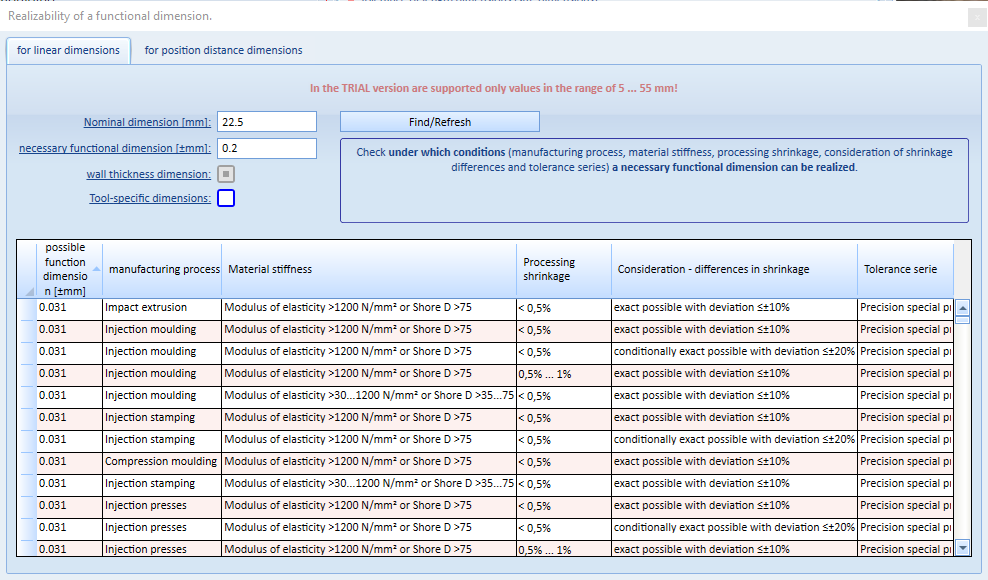
To do this, open the corresponding menu item in the "Extras" menu.
A window then opens in which you enter the nominal size dimension and the required functional dimension. You must also make decisions about the wall thickness dimension and whether it is a tool-bound or non-tool-bound dimension.
As soon as all entries are complete, you can start the function using the [Find/Refresh] button. If results are found that are smaller than or equal to the required functional dimension, this is displayed in the list (below the input).
The list can be sorted by the individual columns.