Own material data
In addition to data from the included database, you have the option of using your own data.
In tab 1 you can see all the polymers and additives you have entered so far. Here you can manage all your own data clearly.
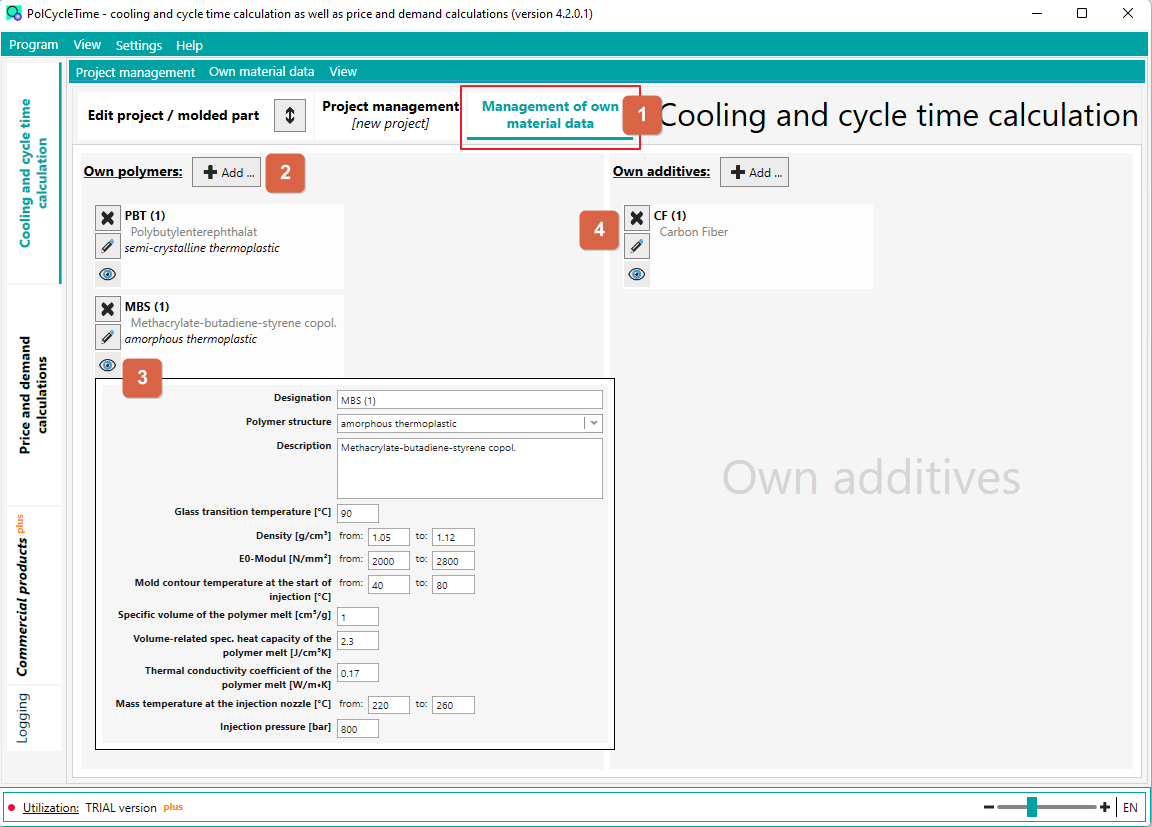
- via the button 2 you can add a polymer or an additive
- via button 3 you can display the current data in a popup window
- via 4 you can edit or delete the data afterwards
If the polymer or additive is used in the current project, then:
- the polymer/additive cannot be deleted
- in case of changes of data (which are important for the cooling time calculation) the results are updated immediately
further hints:
- When adding a polymer/additive, you can use the data from the database as a template
- The name of the polymer or additive must be unique. If necessary, you will be informed about this when you save the data.