Plastic spur gears
The software contains, among other things, a module for calculations of plastic spur gears. This is a component available under the software "Tools for development and design of plastic moulded parts".
Further software components are in progress and will then be made available via corresponding updates.
This help is mainly intended to support you in the use/operation of the software. If you are currently using the free trial version of the software, the differences to the full version will be pointed out at the appropriate place (in this help as well as within the software).
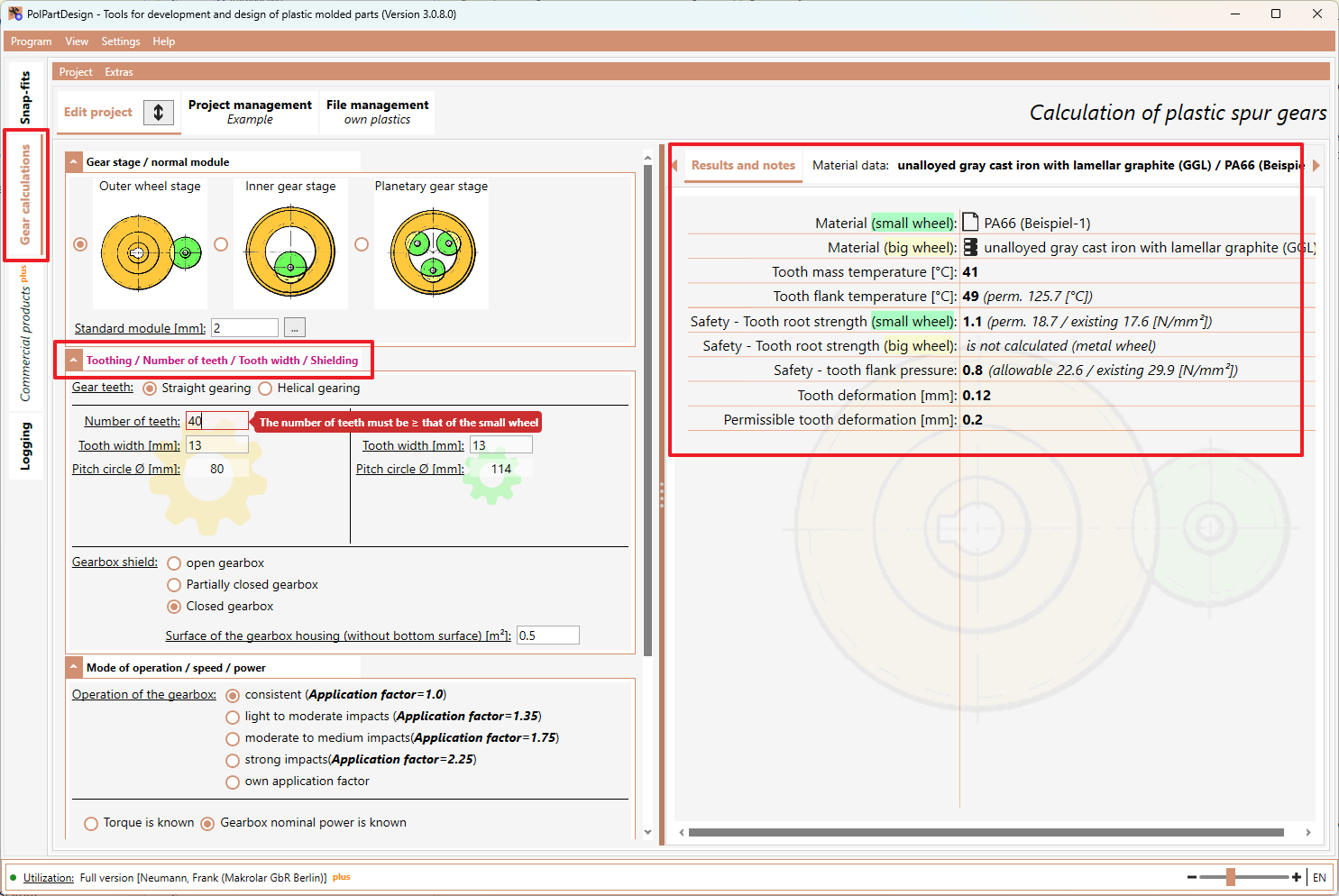
- After starting the software, the main window appears and the tab "Gear calculations" is currently selected. Within this tab, the "Edit project" tab is again active.
- The various required inputs are now grouped here. The individual groups have a heading. The font colour of the heading is red if required inputs are missing or incorrect in the group. Click in the heading or on the arrow symbol on the left to show/hide the corresponding inputs.
- Edit the required inputs/decisions for all groups. As soon as all required inputs/decisions are complete and correct, the results are displayed on the right side of the tab.
- You can now change inputs/decisions as you wish and immediately evaluate the effects of your changes in the results on the right.
Screenshot example:
- The software is delivered with a local database (see also: Database data), which contains common plastics and metals. In addition, however, you can also add/manage your own plastics and use them for the calculations (see also File management (own plastics)).