Plastic tank
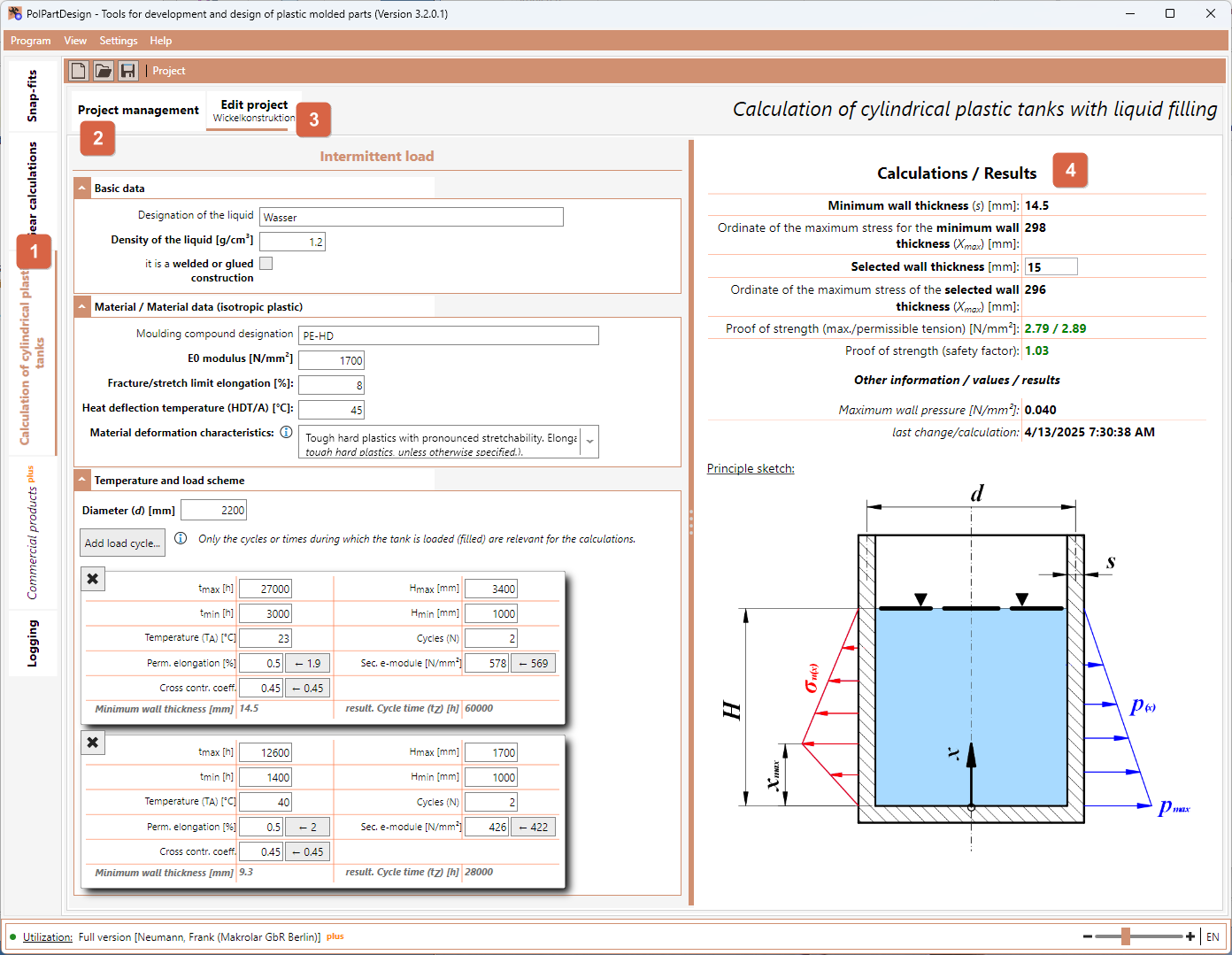
The software contains, among other things, a module for the calculation of plastic tanks with liquid filling 1 . This is a component that is available under the software “Tools for the development and design of plastic moulded parts”.
Further software components are currently being developed and will be made available via corresponding updates as soon as they become available.
This help is primarily intended to support you in using/operating the software. If you are currently using the trial version of the software, the differences to the full version will be pointed out at the appropriate point (in this help and within the software).
- Create a new project in the “Project management” 2 tab. The basic data/entries are then input step by step.
- The “Edit project” tab 3 is then displayed. You can now complete or specify your entries/decisions here.
- As soon as all inputs/decisions have been made, the result 4 is displayed on the right.
- As soon as an initial result is available, you can now change each of your inputs accordingly and immediately evaluate the effects on the result.