Using the functions
The influence of various regrind proportions on the property curve can be examined. Here, you can specify the desired regrind content. The software then determines the corresponding property curve.
- Click the [Find measurement series...] button and search for a suitable measurement series.
- Select the appropriate entry in the list (the list can be sorted by the respective column content). Additional filters are shown above the list.
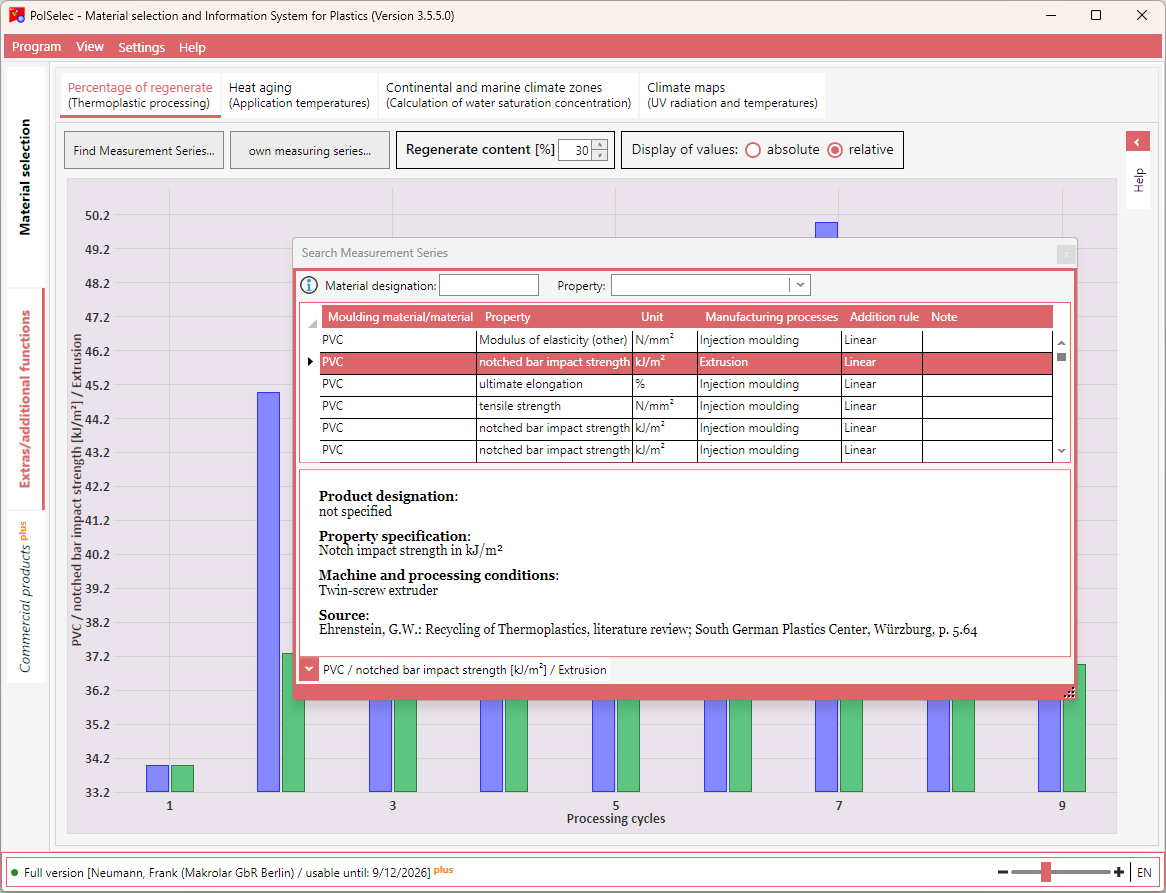
If a property change due to the use of recyclate exists or existed for the selected entry, the corresponding measured and calculated values are displayed graphically. Otherwise, you will receive a corresponding notice that no property change due to the use of recyclate could be observed.
You can now vary the regrind proportion so that a specific property limit value is not undercut or exceeded. The calculation starts immediately after the corresponding value is changed.
You can switch the display between absolute values and relative values (relative to the minimum value).
If the master curves contain value ranges (from/to values), you additionally have the option of using the corresponding mean values instead of the from/to values.