own measurement series/master curve
Clicking the [own measurement series...] button opens another window.
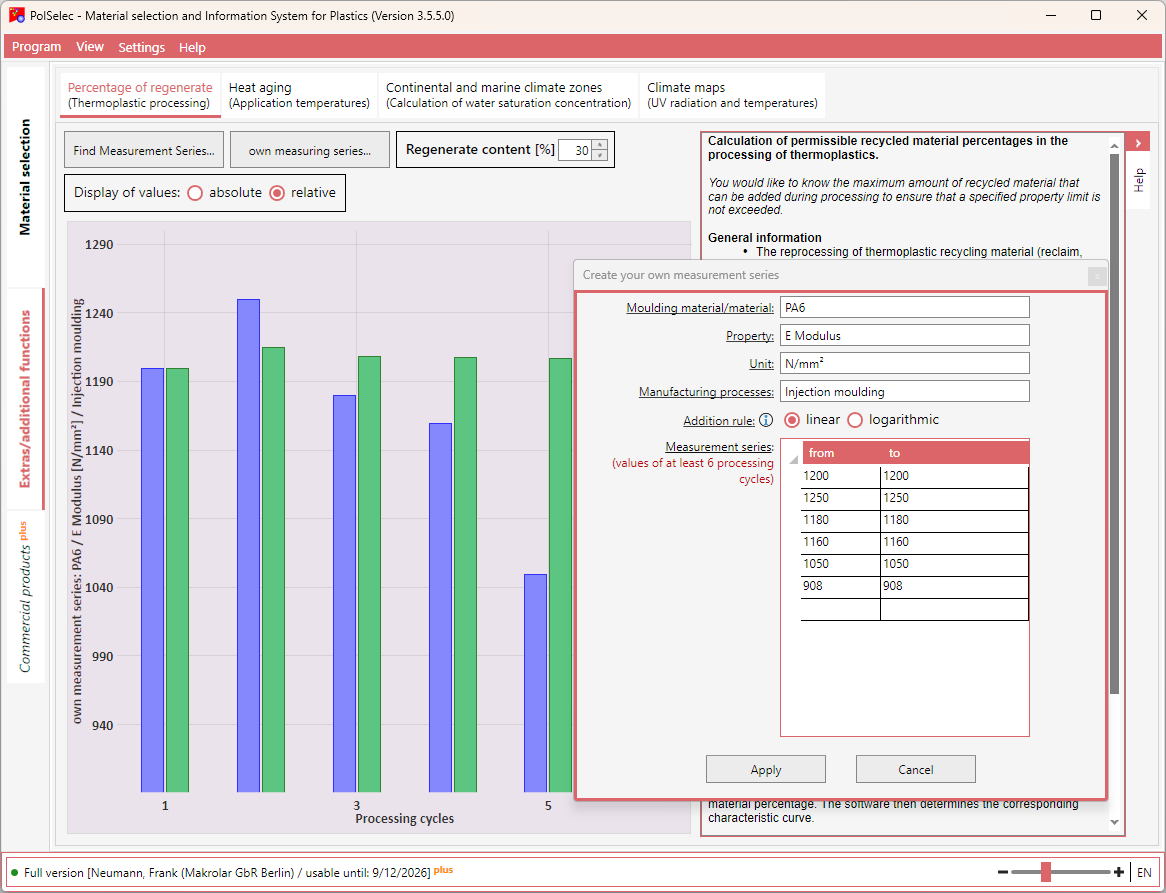
Here, enter information about the material, the property, and, if applicable, the unit of measurement, and select the addition rule. Then enter your measured values in the list. At least 6 values must be entered.
To delete a row in the list, select it and press the [Del] key.
When you are finished, click the [Apply] button. The window closes and the measurement series is immediately displayed graphically.