Edit variant
Each variant has its own area in the main project window, as well as its own menu and button bar.
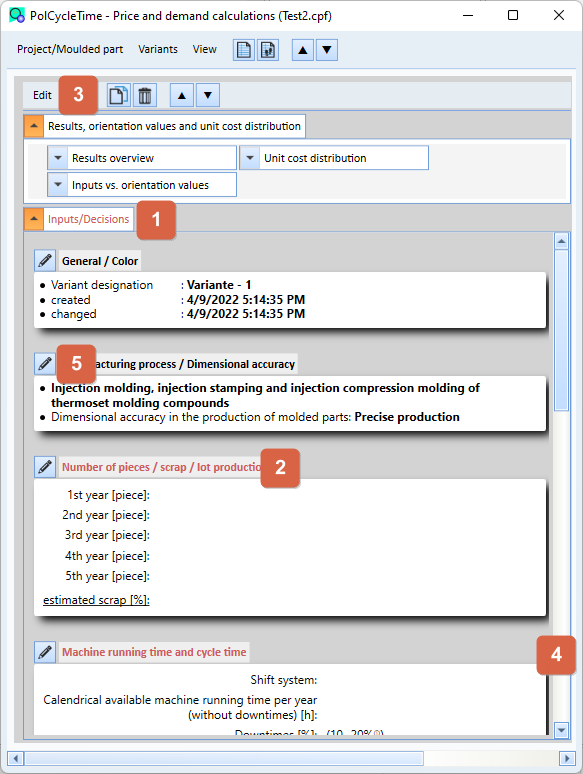
The different inputs/decisions have been grouped logically. Each group has a heading ( 2 ) and a button for editing the corresponding inputs/decisions ( 5 ). If the heading text of the group is marked red, then either inputs/decisions are missing or they are incorrect.
All input groups are again combined in a parent group ( 1 ). If the heading text is marked red, then inputs/decisions are missing in any child group or these are incorrect.
To enter or change certain inputs, click on the button of the corresponding group or select the corresponding entry in the Edit menu ( 3 ). The corresponding input window will be opened.