Services
Reset and reactivate the license
How to reset the license on a computer and then activate it again with your account data – using PolCycleTime as an example.
Please have ready: user name, password, customer number, e-mail address and licensee – as entered during registration or received by e-mail.
After the reset, the software runs as a trial version until the license has been activated again.
Part 1: Reset the license
-
Start PolCycleTime and open Settings → Reset the license… in the main menu.
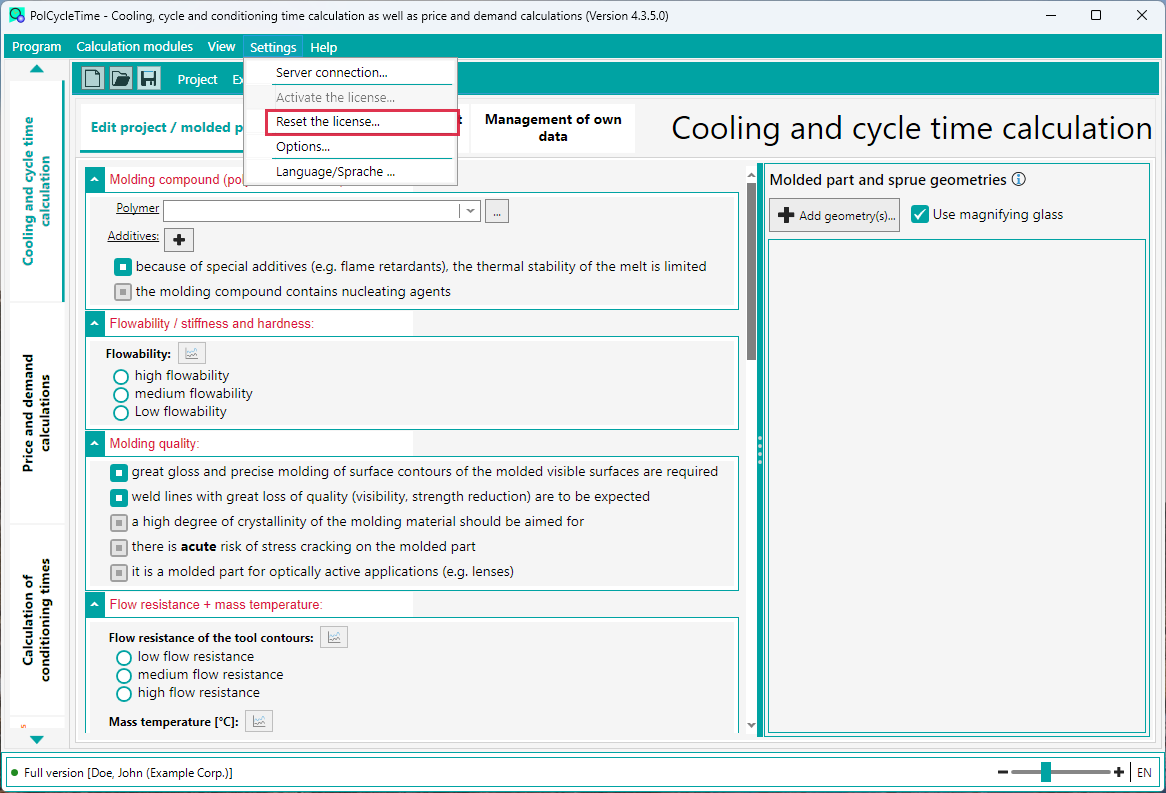
Menu “Settings” → “Reset the license…” -
Confirm the security prompt with Yes.
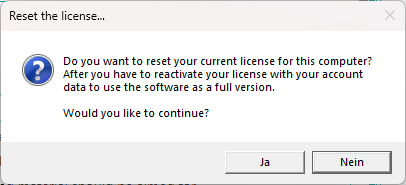
The button labels follow the language of your Windows installation. -
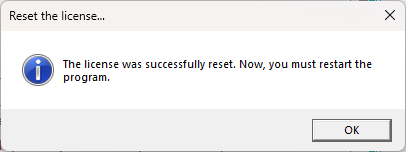
The license has now been reset. Click OK – PolCycleTime will then close.
Part 2: Reactivate the license
- Start PolCycleTime again. The status bar at the bottom left now shows TRIAL version.
-
Open Settings → Activate the license… in the main menu.
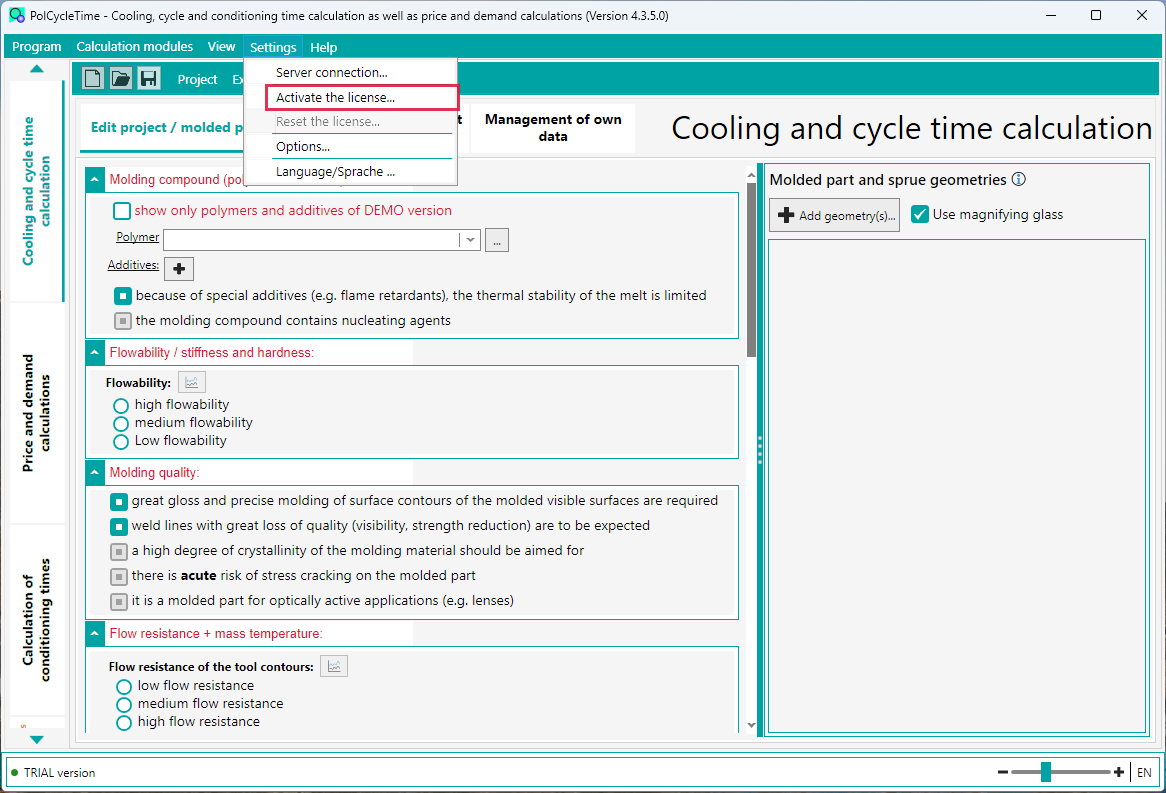
Menu “Settings” → “Activate the license…” -
Enter your data in the Account data section:
User name Your registered user name Password The password of your user account Customer number Your customer number E-Mail The e-mail address you entered during registration Licensee Exactly as designated in the release e-mail License file Upload the license file you received by e-mail 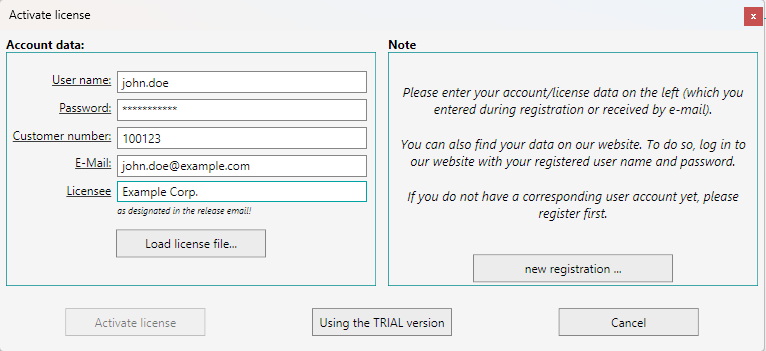
“Activate license” dialog – the values shown are examples only. - Click Activate license. Once activation has succeeded, the status bar shows Full version again.
Forgot your access data? You can also find your data in the customer portal. Log in there with your registered user name and password.
No user account yet? Click new registration … in the dialog.
Using the TRIAL version closes the dialog and lets you continue with the TRIAL version for now.
No user account yet? Click new registration … in the dialog.
Using the TRIAL version closes the dialog and lets you continue with the TRIAL version for now.