Direct comparison of property values
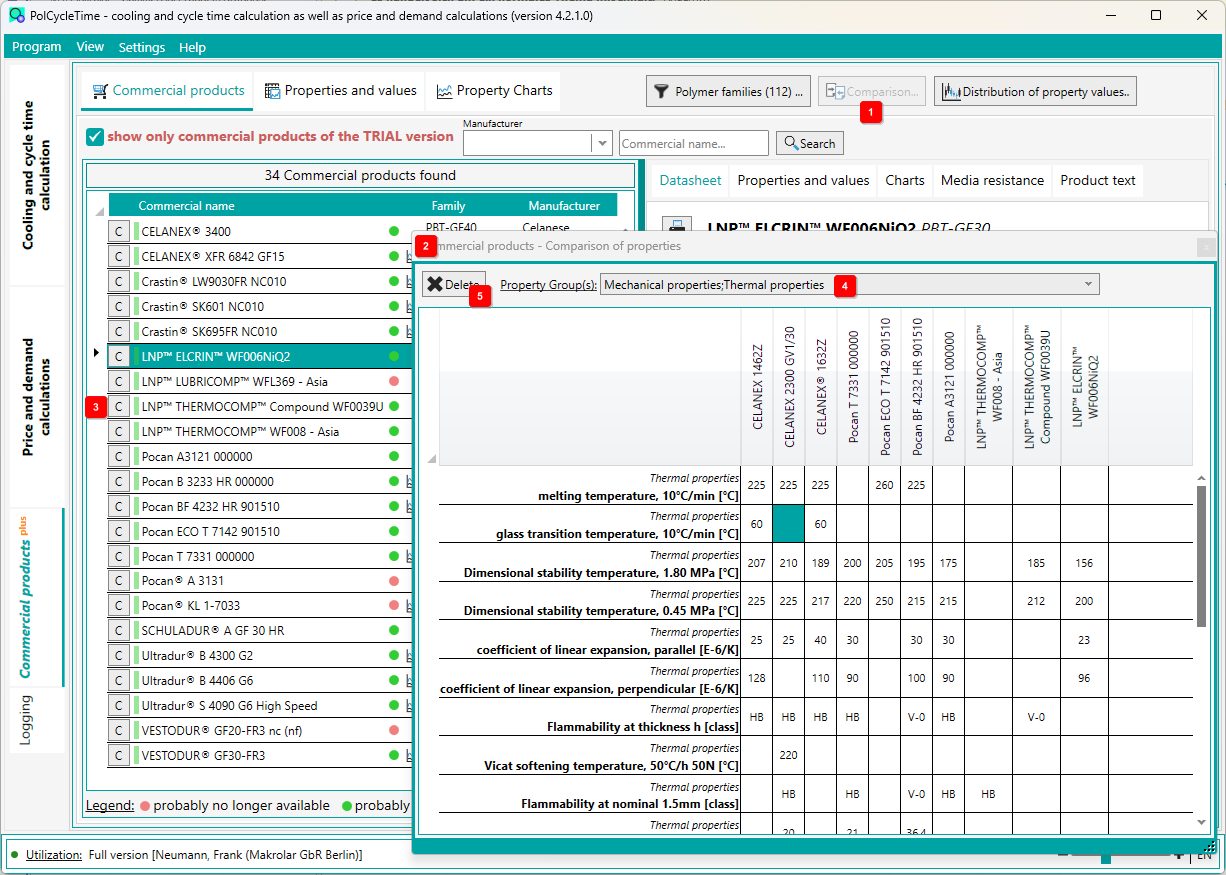
It is best to switch to the main tab Commercial products first.
Click the [Compare] button to open another window 2 . This is initially more or less empty.
The individual lines of the list of commercial products are now each preceded by a [C] button 3 . By a double click in an entry within the list or by a click on this button, the material is taken over into the comparison matrix.
The comparison matrix can be filtered by property groups 4 . To delete all materials from the matrix again, click the button 5 .
Notice:
The scope of the published data of the commercial products may vary greatly per molding compound manufacturer and per commercial product. Thus, the data of the plastic molding compounds are only comparable to a very limited extent, let alone useful for a material selection. Our PolSelec software is available for a manufacturer-independent plastic material selection.