Properties charts tab
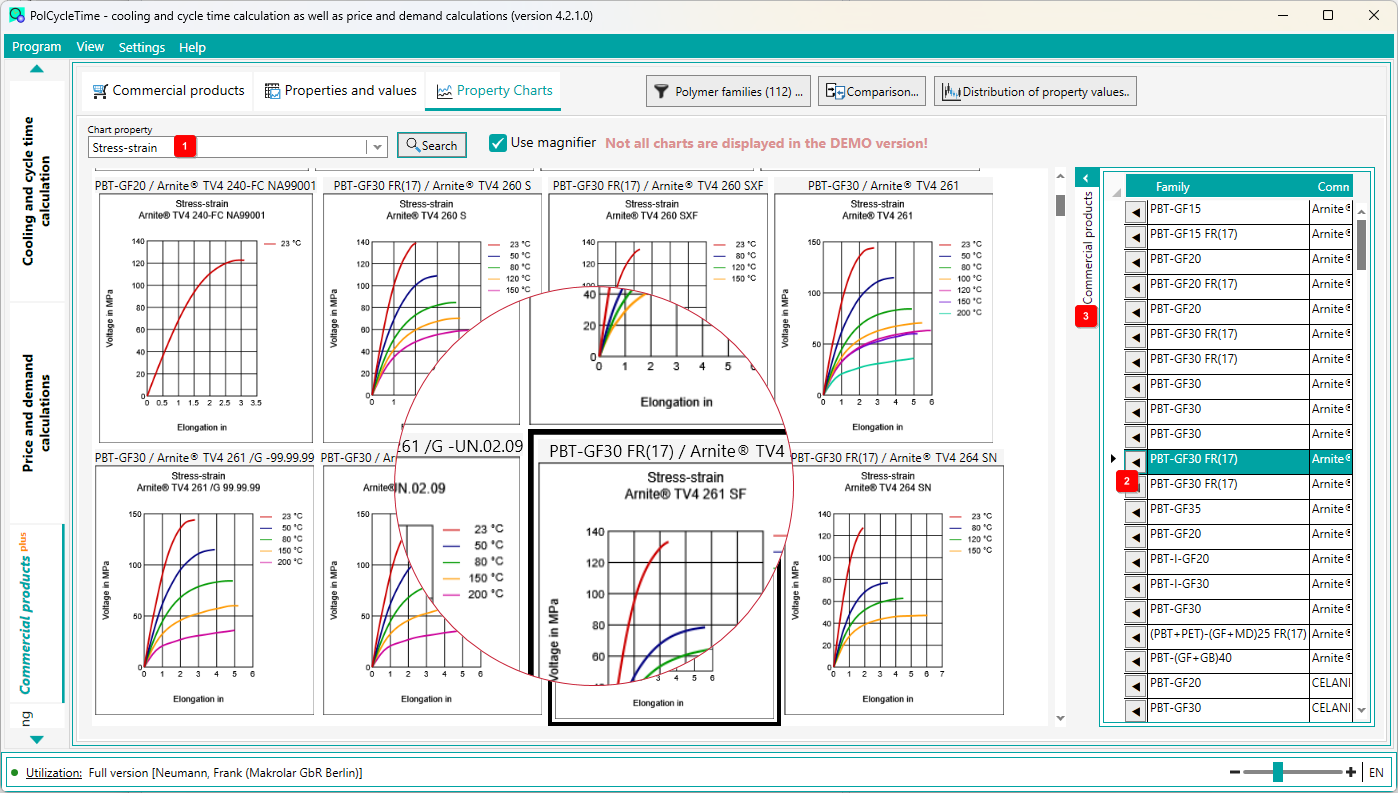
In this view you have the possibility to search for property diagrams. Currently there are about 39,000 diagrams stored in the database.
In the selection box 1 the properties are listed for which there are diagrams in the database.
Select a property and then click the [Search] button.
First, the number of diagrams is determined. If the number exceeds a certain limit, there is a hint that the listing of all diagrams will take some time and that there may be memory problems.
Afterwards the diagrams appear in the overview. Here, too, you can filter according to polymer families.
If you move the mouse over a diagram and the "magnifying glass" is active, the images are enlarged accordingly.
On the right, you will also see the materials in a list view 3 , which can be shown and hidden. If you select a material in this list, the corresponding diagram is brought into the visible area of the overview and displayed with a thick border.
If you click on the button 2 in the list view, the view (for the selected material) changes to the Commercial Products tab and shows the details of the material.