Search by property name
In this view, the values of certain properties are displayed in a grouped list view.
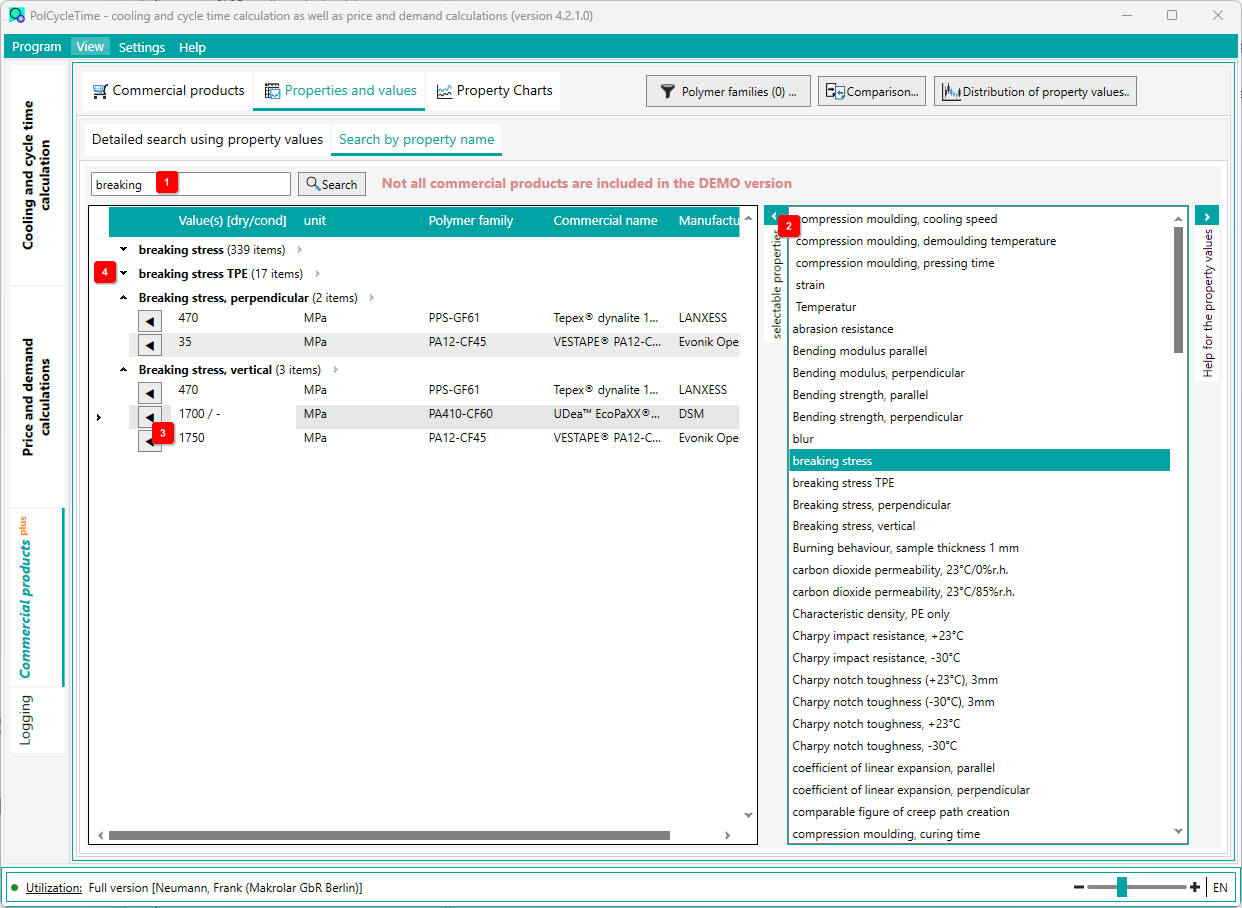
On the right 2 is a list of possible properties. Either select an entry from this list with a double click or enter the property in the upper left input field 1 . It is also possible to enter only a part of the name. Then all property names are searched which have the text in them.
Click on [Search] to display the corresponding property values in the list.
If the designation is contained in several property names, the values of the corresponding property are grouped 4 . The groups can be expanded and collapsed individually and the columns can be sorted in ascending and descending order.
If you click on the button 3 , the view changes (for the selected material) to the Commercial products tab and shows the details of the material.