Select properties
In this view you can search and apply properties for a selection.
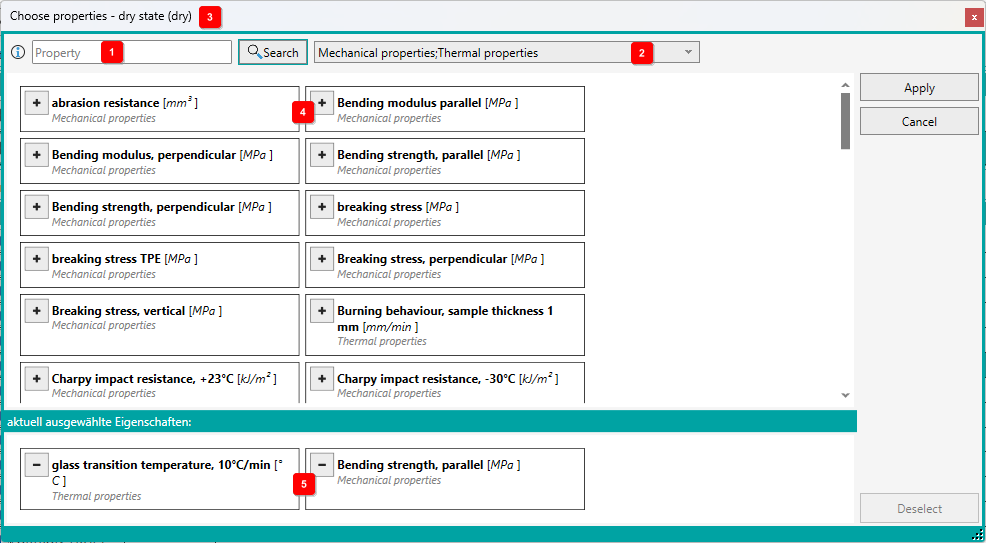
In this view, only those properties are displayed for which there are corresponding numerical values in the database. The content of the list also depends on which state (dry, cond.) was previously selected 3 .
You can search specifically for selectable properties using the filters (property 1 and group 2 ).
To select one or more properties, click on the button with the plus symbol 4 . The entry is transferred to the lower list.
If you want to remove a selected property, click on the button with the minus symbol 5 in the lower list.
If you are finished with the selection, then you click the button [Apply]. The window is closed and the data are taken over.