Connection type / spring element
The connection type or the spring element are basic data of each project and cannot be subsequently changed within a project.
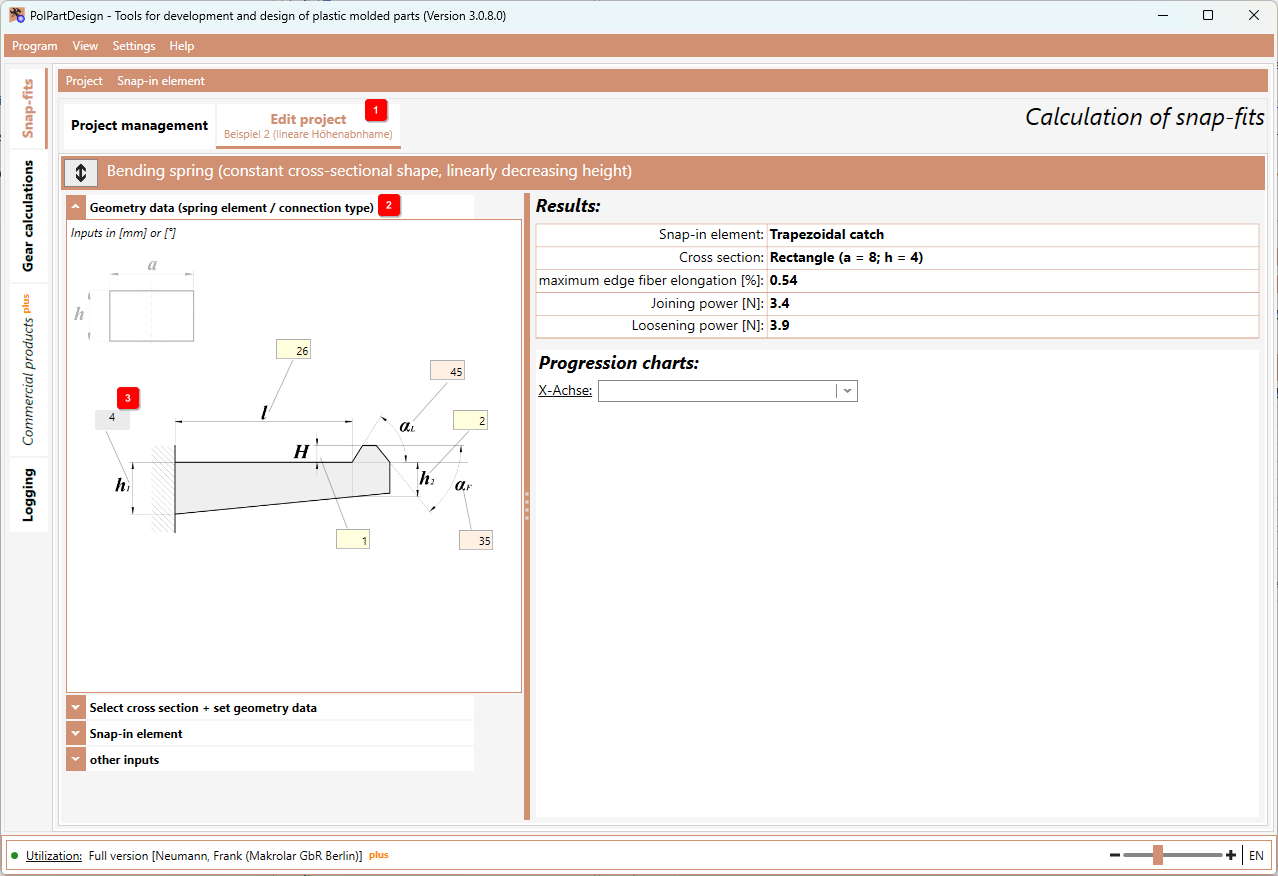
To edit another connection type or spring element, simply create a new project. Afterwards, all data is displayed in the register Edit project 1 and can be further specified.
At the top position you will find the inputs for geometry data (spring element / connection type) 2 . Here you enter the data on the geometry of the spring element or the connection type.
Note: For bending springs with linear height or width decrease, the cross-section inputs correlate with the height and width specifications at the clamping point. Therefore the height or width at the spring element/connection type is only displayed and cannot be edited 3 .