Spring element cross sections
In the Cross-sections tab, the possible cross-sections for the snap-in element are displayed. The possible cross-sections depend on the selected connection type or spring element.
The cross-section dimensions always apply at the clamping point.
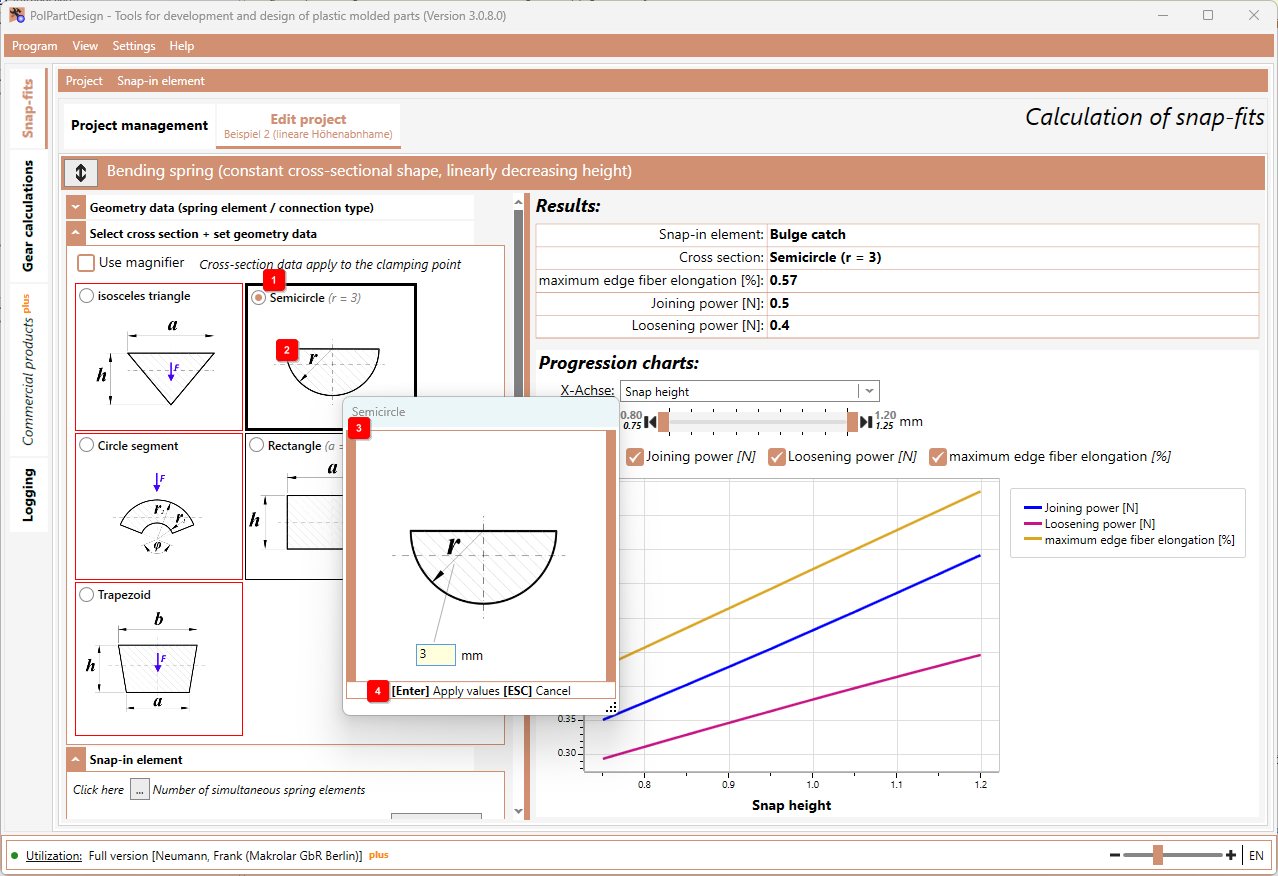
- To select a cross-section, click with the mouse on the corresponding designation 1 .
- to define/edit the geometric data of the cross-section, double-click with the mouse in the graphic 2 . A further window 3 will then open in which the geometric data can be entered.
- Press the Enter key 4 to accept the entries. Or press the ESC key to cancel the entry.
Note: For bending springs with linear height or width decrease, the cross-section entries correlate with the height and width specifications at the clamping point. Therefore, the height or width at the spring element/connection type is only displayed and cannot be edited.